A CapCad style decides how a traffic sign is drawn and which attributes it carries: the graphic appearance of the block, the set of attribute tags, the layer names and the way the station, the coordinates and the dimensions are spelled. A drawing made under one style therefore holds signs shaped for that style — and opening it under another one leaves the signs looking and reading like the old one.
Migrating the style is what rebuilds those signs against the style now in force. It is a separate step from Fix Traffic Signs: the migration changes the block definitions and the attribute set, and Fix Traffic Signs fills the values in afterwards.
How to do it
- Open the drawing you want to migrate and make sure the style you want is the active one.
- Run
CAPCAD_STYLE_EDITOR— the Styles Explorer. The active style is named at the top of the form. - On the Main page, point the migration source at the style the drawing was drawn in
(the
...button beside the source box opens a.capstylefile), and click Update DWG. - Run Fix Traffic Signs (
CV) over the drawing. The migration gives the signs the attribute tags the new style expects; this command computes the values that go into them. Tick the two area options if the dimensions came through empty.
Step 4 is not optional. The style migration changes what a sign should carry; only the fix pass writes station, coordinates, code, dimensions and layers into the tags the new style brought in.
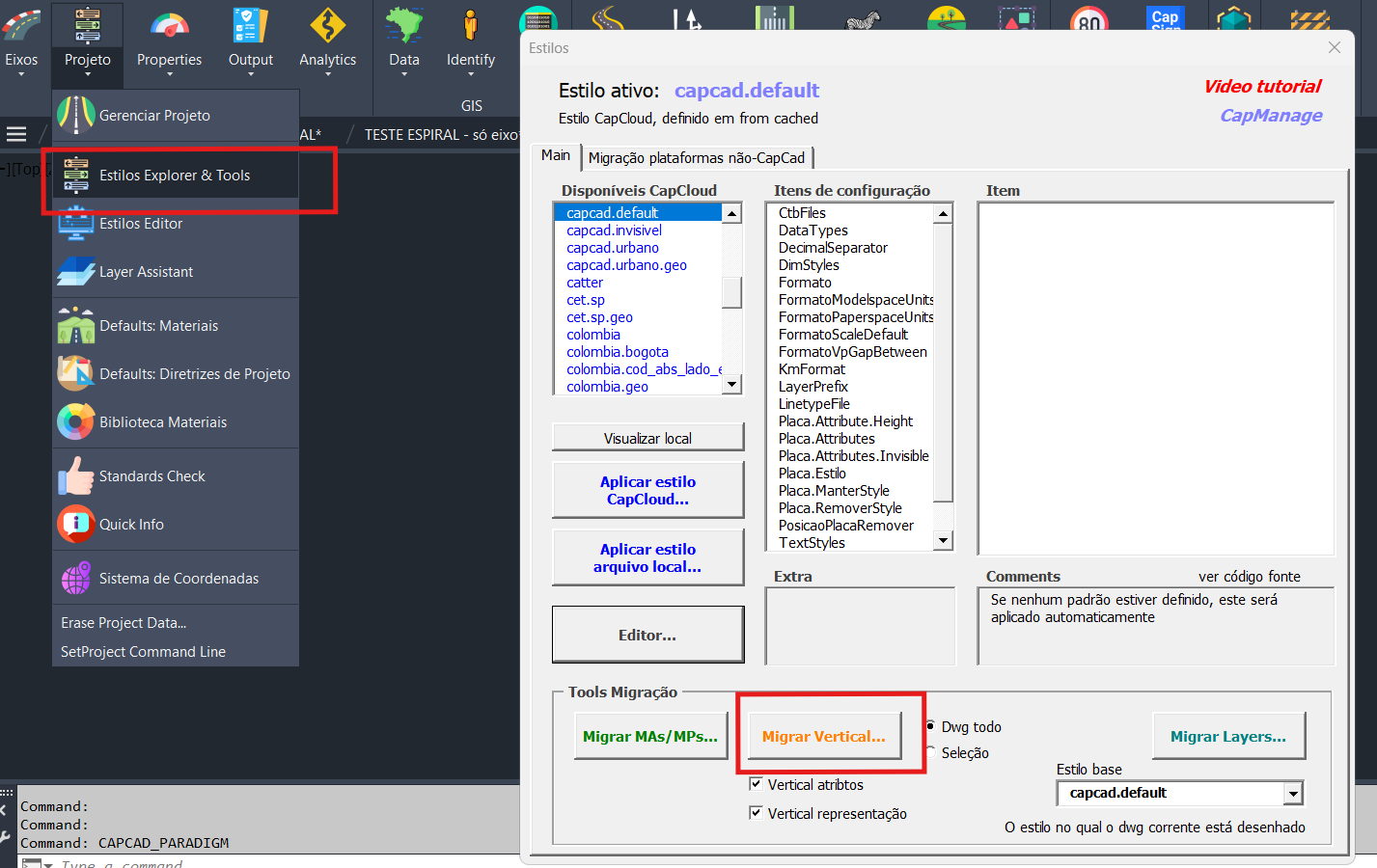
The migration controls in the Styles Explorer. This figure shows the previous version of the form, whose migration group carried separate buttons for the signs, the alignment markers and the layers; the current form drives the whole migration from the source box and the Update DWG button described above.
Notes
- The migration is a change to the drawing, not to the style: the style file itself is not touched, and the drawing you migrate is the one that is open.
- Save a copy before migrating a drawing you care about. The migration rewrites block definitions across the whole model space and there is no partial undo of it.
- A sign inserted after the migration is already drawn under the current style; only the signs already in the drawing need this step.
- Migration source and target are both CapCad styles. A drawing that never had a CapCad style has nothing to migrate from — insert its signs again instead.